Accessing Performance Evaluations
Accessing Performance Evaluations
Instructions

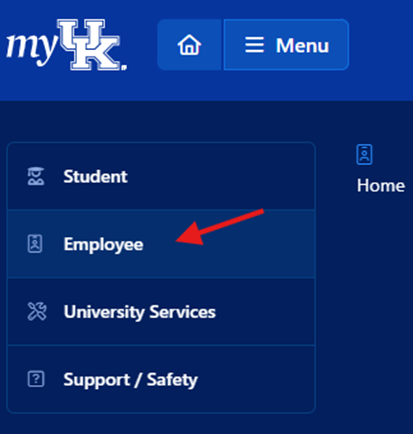
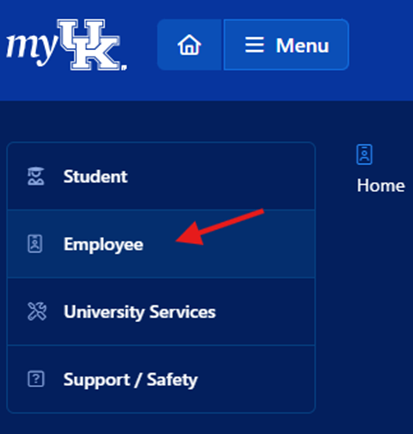
3. Select Employee from the left-hand navigation menu.
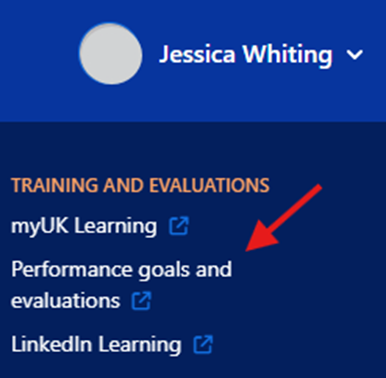
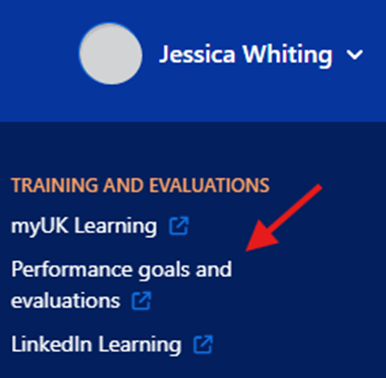
4. Select Performance Goals and Evaluation under the Training and Evaluation list. This will open the SuccessFactors home screen.